
3D Printed Desk Organizer: Build a Minimal, Clutter-Free Setup
Build a minimal desk setup with 3D printed pen holders, cable clips and trays. Learn where to place each piece, choose PLA print settings and shop ready-made options.
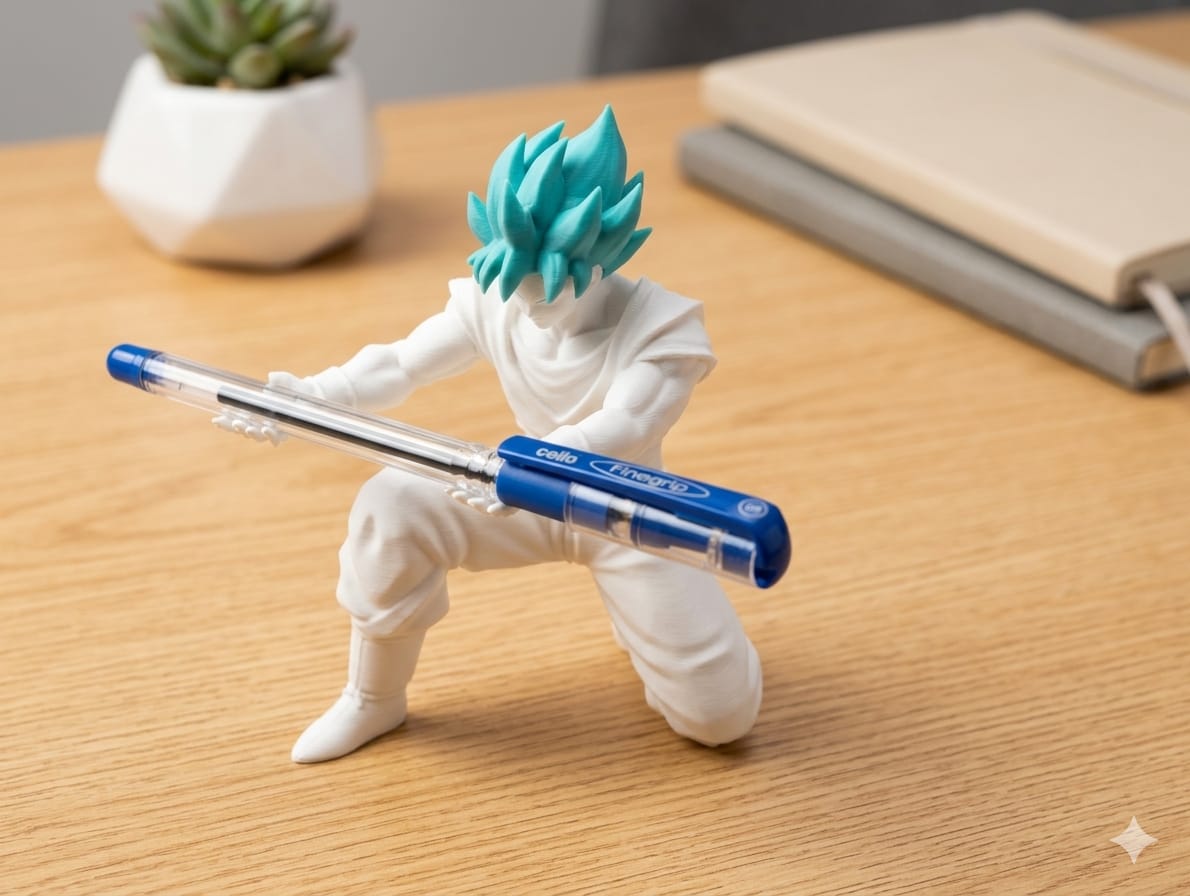
Start with one pen holder on your dominant-hand side, route charging cables to the desk edge, and keep keys or small accessories in a shallow tray away from your keyboard. This guide covers four useful pieces, a three-zone layout, PLA print settings and a consistent colour scheme.
Desk clutter is rarely a storage problem. It is a placement problem. Most desks fill up because pens, cables and headphones have no fixed home, so they drift into whatever flat space is left.
A 3D printed desk organizer solves this better than a generic tray, because each part is sized for the exact things you own. This guide walks through building a minimal, cohesive workspace one printed component at a time.
Why 3D printed organizers beat off-the-shelf trays
- Sized to your gear. A pen holder for six pens does not need a footprint built for twenty.
- One visual language. Printing every piece in the same PLA colour and finish makes ten objects read as one system.
- Cheap to iterate. If a slot is 2 mm too tight, you reprint that piece — not the whole set.
- Low waste. PLA is plant-derived and prints without a heated enclosure, so small desk parts are quick and low-energy.
The four pieces that do 90% of the work
1. Pen and tool holder
Start here. A pen holder with two or three internal compartments separates writing pens from markers, scissors and a screwdriver. Aim for a wall thickness around 2 mm and an inner depth of about 70–80 mm so pens do not tip.
Placement: dominant-hand side, within reach without leaning.
For a ready-made option, compare the Ninja Pen Stand for everyday stationery with the Spiderman Multiple Pen Holder, whose multiple compartments separate desk essentials. Check each product page for its photos and available marketplace link.
2. Cable clips and a cable comb
Loose charging cables are the single biggest source of visual noise. Two small adhesive-backed clips at the desk edge keep your phone and laptop cables reachable, and a cable comb at the back gathers monitor and power leads into one flat run.
Placement: clips at the front edge, comb along the rear lip.
3. Headphone stand
Headphones on the desk take up a surprising amount of surface. A vertical stand or an under-desk hook recovers that space instantly and stops the headband from getting bent.
Placement: under-desk on the non-dominant side, or beside the monitor.
4. Small-parts tray
One shallow tray for keys, a watch, SD cards and dongles. Keep it deliberately small: a large tray becomes a junk drawer.
Placement: back-left or back-right corner, out of the primary working zone.
For loose keys, coins and small accessories, see the Dragon Head Storage Bowl. Compare its footprint with the space available before choosing a decorative bowl instead of a shallow tray.
A layout that stays tidy
Think of the desk in three zones:
| Zone | What goes there | | --- | --- | | Primary (directly in front) | Keyboard, mouse, notebook. Nothing stored here. | | Secondary (arm's reach) | Pen holder, small-parts tray, phone stand. | | Background (back edge / under-desk) | Cable comb, headphone stand, charger. |
The rule that keeps it working: nothing lives in the primary zone overnight. If an item has no home in the secondary or background zone, it needs a printed one.
Print settings that work for desk pieces
- Material: PLA. Rigid, dimensionally stable and available in matte finishes that hide layer lines.
- Layer height: 0.2 mm — a good balance of speed and surface quality.
- Infill: 15% gyroid for trays and holders; 25–30% for a headphone stand that carries load.
- Walls: 3 perimeters. Desk pieces get knocked; thin walls crack.
- Orientation: print open-topped containers upright so the interior stays smooth and no supports are needed.
One caution: PLA softens in a hot car or on a sunny windowsill in direct summer sun. For an indoor desk it is ideal.
Choosing colours
Pick one neutral base (matte black, off-white or grey) for every functional piece, then allow a single accent colour on one small item. A system in one colour reads as intentional; five colours reads as leftover filament.
Where to start if you only print one thing
Print the pen and tool holder first. It removes the most visible clutter, takes a couple of hours, and tells you immediately whether your tolerances and colour choice are right before you commit to a full set.
Ready-made options
If you would rather not print or tune the models yourself, our PLA desk organisers, pen holders and everyday desk accessories are available on Flipkart and Amazon — browse the full product range and buy on whichever marketplace you prefer.
Minimal desk setup checklist
- Clear the primary zone so only your keyboard, mouse and current notebook remain.
- Give pens a fixed home within comfortable reach.
- Route frequently used charging cables to the front edge and other leads to the back.
- Keep a small tray or bowl outside the main working zone.
- Choose one neutral finish, then add at most one accent colour.
- Start with the pen holder; add other pieces only when they solve a specific storage need.